本文介绍自研通用Agent Runtime N-Agent。N-Agent 以 LangGraph 编排 Agent TurnLoop,用领域驱动设计(DDD)隔离业务核心与外部实现,支撑持续演进。
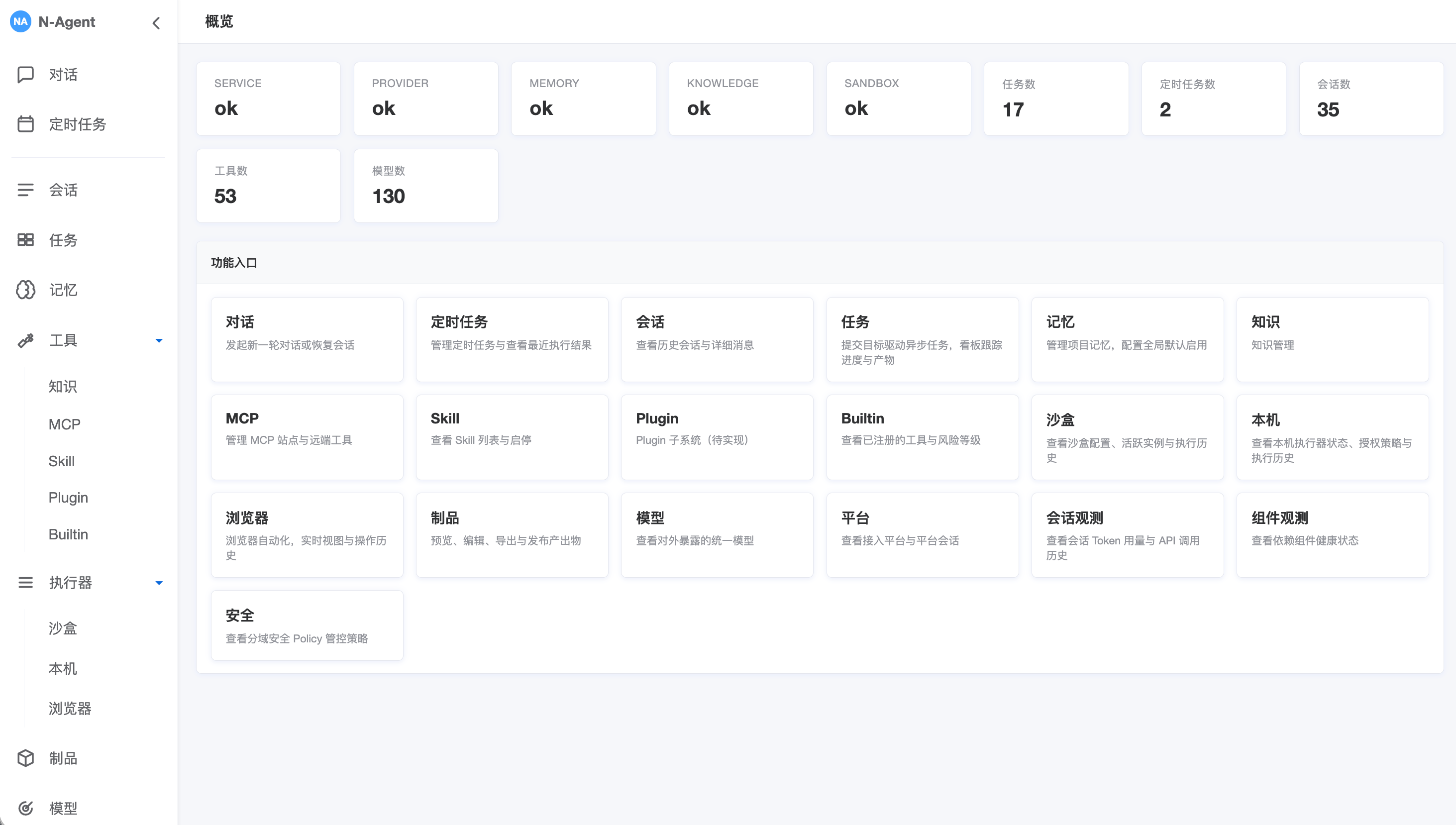
核心流程:接收对话请求,加载会话上下文,循环”调用模型→按需执行工具”直至产出最终回答,更新会话与外部记忆,返回同步或流式结果。
领域划分
Agent Runtime
├── 核心子域
│   ├── TurnLoop:单轮对话执行编排,包括上下文准备、LLM交互、工具执行、记忆更新、结束判断
│   ├── Context:组装模型输入视图,包括基础消息上下文、约束过滤后的工具定义等
│   ├── LLM:模型交互子域,负责Provider Request(请求)构造、模型调用、响应解析
│   ├── Memory:记忆管理,包括会话记忆、跨会话的外部记忆
│   └── Tool:工具契约与执行编排,把模型 tool_calls 转换为受控的工具执行
├── 支撑子域
│   ├── Schedule:定时任务定义、调度、租约执行与结果投递
│   ├── Task:目标型后台任务的状态、调度、执行、审批与产物
│   ├── Knowledge:KB的SPI定义、实例管理,通过search_knowledge检索知识
│   ├── MCP:MCP site 注册与工具同步,把远程 MCP server 工具暴露给 LLM 调用
│   ├── Plugin:本地插件包扫描、启停、配置和工具动态注入
│   ├── Skill:本地 SKILL.md 包的读写、审批、自进化与周期维护
│   ├── Sandbox:受控代码执行子域execute_code(Python)、terminal(Shell)
│   ├── Host Terminal:经宿主 Bridge 和独立 Policy 授权的本地命令执行
│   ├── Browser:浏览器会话、操作、接管与宿主/容器双后端
│   ├── Gateway:统一飞书、CLI/TUI、ACP 的交互消息、入口会话、命令与确认,并路由至ChatCompletionService
│   ├── Platform:飞书等外部消息平台抽象,生命周期管理
│   └── Usage/Observation:模型用量、成本、上下文构成与压缩收益观测
├── Shared Kernel
│   └── Policy:通用决策契约
└── 外部边界
    ├── Storage
    └── Model Provider
系统核心模块,如下:
%% align: left
flowchart TB
  subgraph Interfaces["Interfaces"]
    API("Dashboard\nOpenAI-compatible API ")
    Gateway("Gateway\n飞书IM / CLI-TUI / ACP")
    Schedule("Schedule\n定时任务Runner")
    Task("Task\n任务Runner")
  end

  subgraph Runtime["Agent Runtime"]
    Chat("ChatCompletion")
    Loop("AgentGraphRunner\nTurnLoop")
    Context("ContextService")
    LLM("LLMProvider")
    Tool("ToolService")
    Memory("MemoryService")
    Usage("UsageService")
  end

  subgraph Capabilities["Tools"]
    Skill("Skill")
    Knowledge("Knowledge")
    MCP("MCP")
    Plugin("Plugin")
    Code("Code")
  end

  subgraph External["Infrastructure"]
    Storage("Storage\nSQLite / Files")
    RemoteStore("Memory Store\nmem0 / Honcho / ...")
    Provider("Model Provider")
    Remote("Remote Services\nKB / MCP / Platform")
    Docker("Sandbox\nDocker / Local")
  end

  API --> Chat
  Gateway --> Chat
  Schedule --> Chat
  Task --> Chat
  Chat --> Loop
  Loop --> Context
  Loop --> LLM
  Loop --> Tool
  Loop --> Memory
  Loop --> Usage
  Context --> Memory
  Context --> Tool
  LLM --> Provider
  Tool --> Capabilities
  Memory --> Storage
  Memory --> RemoteStore
  Usage --> Storage
  Skill --> Provider
  Knowledge --> Remote
  MCP --> Remote
  Plugin --> Remote
  Code --> Docker

  style External fill:#f5f5f5,stroke:#f5f5f5
  style Loop fill:#fef08a,stroke:#ca8a04,stroke-width:3px,font-weight:bold
TurnLoop
Agent会话之单轮对话,是Agent的核心业务流程,FSM状态图如下:
%% align: left
stateDiagram-v2
  [*] --> prepare_context
  prepare_context --> call_llm
  call_llm --> execute_tools: pending_tool_calls
  call_llm --> update_memory: no tool calls
  call_llm --> finalize: error
  execute_tools --> update_memory
  update_memory --> call_llm: continue
  update_memory --> finalize: error / final_message / iteration_limit reached
  finalize --> [*]
单轮对话 SD时序图如下:ChatCompletionService.complete → AgentGraphRunner(LangGraph.Graph.StateGraph)
%% align: left
sequenceDiagram
  autonumber
  participant Chat as ChatCompletionService
  participant Session as SessionService
  participant Graph as AgentGraphRunner
  participant Context as ContextService
  participant LLM as LLMProvider
  participant Tool as ToolService
  participant Memory as MemoryStore
  participant Usage as UsageService
  participant External as ExternalMemoryManager

  Chat->>Session: create_session(session_id)
  Session->>Memory: create_session (INSERT OR IGNORE)
  Chat->>Memory: lock_session_external_memory(enabled, slots)

  alt /compress
    Chat->>Graph: compress_session(session_id)
    Graph->>Context: build_context_state + compress_prepared_context(force=true)
    Context->>Memory: list_messages + get_summary
    opt 实际执行压缩
      Context->>External: pre_compress_all(messages)
      Context->>Memory: append_summary_message(is_summary=true)
      Context->>Memory: mark_messages_summarized(middle_ids)
      Context->>Memory: save_summary(source_message_id)
      Context->>Usage: record_compression
    end
    Chat-->>Chat: 提前返回,不写 user 消息
  else 普通对话
    loop 每条 user 消息
      Chat->>Memory: append_message(role=user)
    end
    Chat->>Session: ensure_title(first_user_message)
    Session-->>Memory: update_session_title(异步成功时)
    Chat->>Graph: run / stream_events

    Graph->>Context: prepare_context(state)
    Context->>Memory: list_messages + get_summary
    Context->>External: build_system_prompt 静态快照
    opt 达到上下文压缩条件
      Context->>External: pre_compress_all(messages)
      Context->>LLM: 生成上下文摘要
      LLM-->>Context: summary
      Context->>Memory: append_summary_message(is_summary=true)
      Context->>Memory: mark_messages_summarized(middle_ids)
      Context->>Memory: save_summary(source_message_id)
      Context->>Usage: record_compression
    end

    loop 直到 final_message / error / iteration_limit
      Graph->>Context: build_provider_context(state, options)
      opt 最后一条是 user 消息
        Context->>External: prefetch_all(last_user_message)
      end
      Context-->>Graph: messages + ToolPolicy 过滤后的 tools
      Graph->>LLM: chat(messages, tools, model, options)
      LLM-->>Graph: final_message + tool_calls + usage
      Graph->>Graph: scrub_memory_context(final_message)
      opt provider 返回 usage
        Graph->>Usage: record_call
      end

      opt 存在 pending_tool_calls
        loop 每个 tool_call
          Graph->>Tool: evaluate / approve / execute
          opt memory provider 工具
            Tool->>External: handle_tool_call
          end
          Graph->>Memory: save_tool_call
        end
      end

      Graph->>Memory: append_message(role=assistant)
      opt 存在工具结果
        Graph->>Memory: append_message(role=tool)
      end
      Graph->>Memory: save_task_state(running / failed)
    end

    opt error 且无 final_message
      Graph->>Memory: append_message(role=assistant, 友好错误文案)
    end
    opt 存在 final_message
      Graph->>External: sync_all(user, assistant)
    end
    Graph->>Memory: save_task_state(completed / failed)
  end
Context
Context 子域负责模型调用前的运行视图组装。prepare_context 准备基础消息上下文,包括 system prompt、历史消息/摘要(动态压缩)、本轮用户输入;每次 call_llm 前,再由 build_provider_context 生成本次 Provider Context。
Context Frame
├─ 1. System Prompt
│  ├─ 身份 identity / 指令 instruction / 安全约束 safety
│  ├─ 技能 skills index
│  └─ 外部记忆-静态快照:已启用 provider 的 system_prompt_block
│
├─ 2. Session Context
│  └─ ConversationMessage:head + latest summary + tail
│     └─ compression:历史消息滚动压缩,最新摘要latest summary
│
├─ 3. Turn Context
│  ├─ 本轮 input messages
│  └─ 外部记忆-动态检索:call_llm 前 prepend 到 本轮用户输入user message
│
├─ 4. Tool Context
│  └── tool schemas:工具描述,经工具策略 ToolPolicy 过滤
│
└─ 5. Execution Context
   ├─ run options
   │  ├─ external_memory_enabled:选择外部记忆来源
   │  └─ tool_exposure_policy:选择可见 tool definitions
   └─ ToolExecutionContext:工具授权、trusted_metadata、execution_context_mode

       │ ContextService 组装
       ▼

ProviderContext
├─ messages ← 1 + 2 + 3
└─ tools    ← 4

AgentGraphRunner 再组合 ProviderContext + model + options,调用 llm_provider.chat(...)
对话示例
前提
├─ input_messages: [user("我叫什么,最喜欢什么水果?顺便打印下 UTC 时间。")]
├─ external_memory_enabled: ["file_memory_1", "mem0"]
├─ file_memory_1 静态快照: "所有回复以‘外部记忆1:’开头。"
├─ mem0 已存事实:
│  ├─ "用户名是 niean"
│  ├─ "最喜欢的水果是西瓜"
│  └─ "偏好简洁回复"
└─ tools: [get_current_time, ...]

prepare_context
└─ working_messages
   ├─ system(identity / instruction / safety / skills index /
   │        file_memory_1 静态快照 / mem0 system_prompt_block())
   └─ user("我叫什么,最喜欢什么水果?顺便打印下 UTC 时间。")

call_llm #1
├─ 外部记忆-动态检索:prefetch_all(),返回:
│  └─ <memory-context>
│     └─ <provider name="mem0">
│        └─ ## Mem0 Memory
│           ├─ 用户名是 niean
│           ├─ 最喜欢的水果是西瓜
│           └─ 偏好简洁回复
├─ 将 <memory-context> 临时 prepend 到最后一条 user message
├─ ProviderContext.messages: [system, user(memory-context + input message)]
├─ ProviderContext.tools: [get_current_time, ...]
├─ llm_provider.chat(...)
└─ LLM 返回 tool_calls: [get_current_time]

execute_tools
└─ ToolCall: 保存 get_current_time 执行审计

update_memory #1
└─ ConversationMessage:
   ├─ assistant(tool_calls)
   └─ tool(result)

call_llm #2
├─ working_messages: [system, user, assistant(tool_calls), tool(result)]
├─ llm_provider.chat(...)
└─ LLM 返回 final_message:
   └─ assistant("外部记忆1:你叫 niean,最喜欢西瓜。当前 UTC 时间是……")

update_memory #2
├─ ConversationMessage: 追加 assistant(final_message)
└─ TaskState: 保存 running 状态

finalize
├─ ExternalMemoryManager.sync_all(...):
│  └─ agent_context="primary" 时,mem0.sync_turn() 同步本轮 user/assistant 消息
└─ TaskState: 保存 completed 状态
LLM
LLM 子域对应 call_llm 节点,负责一次模型交互,不负责工具执行或记忆写入。
LLM
│
├── Provider Request
│     ├── provider context:messages / tools (由 Context 子域组装)
│     ├── model
│     └── options
│
├── Provider Call
│     └── llm_provider.chat(...)
│
└── Response Parse
      ├── final_message
      ├── pending_tool_calls
      ├── finish_reason
      ├── usage
      └── next_step
Memory
Memory 有两条持久化边界:会话记忆保存当前 session 的运行事实,外部记忆保存跨 session 知识。
Memory
├─ 会话记忆: MemoryStore → SQLiteMemoryStore
│  ├─ ConversationSession: source / title / external_memory_enabled / slots / ACP metadata
│  ├─ ConversationMessage: user / assistant / tool / is_summary / is_summarized
│  └─ ToolCall / TaskState / Summary
└─ 外部记忆: ExternalMemoryProvider → ExternalMemoryManager → Provider Adapter
   ├─ builtin: Markdown + trust metadata + observations
   ├─ multi-project: 多目录 Markdown
   └─ external-query: mem0 / holographic / honcho,全局至多一个 active
| 槽位 | 实现 | 存储与写入 |
|---|---|---|
| builtin | BuiltinProjectMemory |
{memory,user,observations}.md + memory.meta.json;sync_turn 追加观察 |
| multi-project | MultiProjectMemory |
每个项目一组 {memory,user}.md;sync_turn 为 no-op,只由工具写入 |
| external-query | Mem0Adapter |
HTTP 事实库 |
| external-query | HolographicAdapter |
本地 SQLite;MemoryRetriever 使用 Jaccard + 词频检索 |
| external-query | HonchoAdapter |
HTTP workspace / peer / session context |
Tool
Tool 子域定义 Agent 可发现、可调用的能力契约,并把 LLM tool_calls 转换为受控执行。它不实现 Knowledge、MCP、Plugin、Skill、Sandbox 等具体能力。
Tool
├─ Application:ToolService 管理工具定义、模型暴露、执行编排
├─ Domain
│   ├── ToolDefinition:工具定义,主要是能力描述,不包含 handler
│   ├── ToolCallRequest:调用请求,包含 id、name、arguments
│   ├── ToolPolicy:执行管控,治理工具的校验、暴露、执行、审批要求
│   ├── ToolExecutionContext:执行上下文,携带授权和可信运行信息,仅限单轮对话
│   ├── ToolExecutor:执行接口,定义SPI,具体实现属于各支撑子域或 Infrastructure
│   └── ToolResult:执行结果,包含状态、内容和耗时
└─ Infrastructure:CompositeToolExecutor 按工具名路由到具体 ToolExecutor
一个工具可用需同时具备定义和执行路由:前者决定模型能否看到,后者决定调用能否落到具体实现。ToolService 是不可绕过的执行边界,执行前会按当前定义复判。
ContextService 通过 ToolService 生成可见 tool definitions
  -> LLM 返回 tool_calls
  -> TurnLoop 构造 ToolCallRequest
  -> TurnLoop 拿到执行授权(如需),过程是:ToolService 查找 ToolDefinition,调用 ToolPolicy、生成 PolicyDecision,TurnLoop根据 PolicyDecision 发起审批、获得执行授权
  -> ToolService 执行前复判 ToolPolicy
  -> ToolExecutor 执行具体能力
  -> ToolResult 作为 role=tool 消息回流 LLM
Sandbox
Sandbox 子域为模型提供受控执行环境,承载 execute_code(Python)与 terminal(Shell)。两者均为 RiskLevel.SAFE工具,Docker 是生产安全边界、不走审批。
所有入口统一经过 ToolService,并按工具路由到独立 Executor:
Interface/Gateway -> ChatCompletionService -> AgentGraphRunner.execute_tools
  -> ToolService.execute
       ├─ execute_code -> SandboxToolExecutor
       │    └─ 会话锁 -> get_or_create -> per-call staging -> Sandbox.execute
       └─ terminal -> TerminalToolExecutor
            └─ 会话锁 -> get_or_create -> 校验 workdir -> Sandbox.exec_command
  -> SandboxExecutionHistoryRegistry
  -> ToolResult 回流 AgentGraph,写 role=tool 消息
生命周期
SandboxManager 按 session 懒创建并串行执行。空闲到期或 session 删除时协作释放;Dashboard 可强制释放。Docker 启动时还会清理上次进程遗留的孤儿容器。
%% align: left
stateDiagram-v2
  direction LR
  [*] --> active: get_or_create
  active --> executing: execute
  executing --> active: done
  active --> releasing: idle / session / manual
  executing --> releasing: manual force
  releasing --> [*]: cleanup
安全边界
- Docker:workspace 只读、scratch 可写,默认禁网,并限制 CPU、内存、进程与临时目录。
execute_code:外部能力仅能通过 UDS RPC callback tools 获取,并受 allowlist、调用次数与超时约束。terminal:不使用 callback tools;workdir 仅允许 scratch/workspace,workspace 仍只读。非零退出码表示命令执行失败,但工具状态仍为 SUCCESS;仅超时或执行异常映射为 TIMEOUT/ERROR。- 审计:两类执行都持久化 code_hash、状态、结果和
execution_type;Sandbox 异常转为ToolResult(ERROR),不打断 AgentGraph。
XUI
N-Agent 用户入口类型,有如下几类:
| 入口 | 传输+编码协议 | 适配器 | 应用层 | 适配器源文件 |
|---|---|---|---|---|
| Dashboard 管理 API | HTTP+JSON | create__router / register__routes | 不进入 Agent Runtime | app/interfaces/http/ |
| OpenAI 兼容对话 API | HTTP/SSE+JSON | create_openai_compatible_router | ChatCompletionService | app/interfaces/http/openai_compatible.py |
| 飞书 IM 长连接 | WebSocket+JSON | FeishuImAdapter | GatewayService → ChatCompletionService | app/interfaces/feishu_im_adapter.py |
| TUI/CLI Chat | Stdio+行式文本 | CliChatAdapter | GatewayService → ChatCompletionService | app/interfaces/cli/ |
| ACP Agent | Stdio+JSON | NAgentACPAgent | GatewayService → ChatCompletionService | app/interfaces/cli/commands/acp/ |
| 定时任务执行 | - | SchedulerRunner | ScheduleRunService → ChatCompletionService | app/application/scheduler_runner.py |
| 任务执行 | - | TaskRunner | TaskRunService → ChatCompletionService | app/application/task_runner.py |
其中,
- 管理API不进入 ChatCompletionService/Agent Loop;
- OpenAI 兼容对话 API 直接进入 ChatCompletionService;
- 飞书 IM、TUI/CLI、ACP 的用户消息先经 GatewayService 统一做入口会话、消息管理,再进入 ChatCompletionService。
- ACP协议生命周期保留在 NAgentACPAgent 中。
- 定时任务执行由 SchedulerRunner 定时触发,并通过 ScheduleRunService->ScheduledAgentExecutor 直接调用 ChatCompletionService,执行结果再由 ScheduleOutboundDelivery 投递。
- 任务执行由 TaskRunner 触发,并通过 TaskRunService->TaskAgentExecutor 直接调用 ChatCompletionService。
以下是一些概念澄清、技术要点。
产品形态
对话=交互问答;定时任务=定时触发投递;任务=目标驱动异步后台执行,任务状态机 + 意图分解 + 多次AgentRun + 汇总 + Artifact。
①对话 ChatCompletion:
用户提问 → AgentRun → 回复消息

②定时任务 Schedule:
定时触发 -> ChatCompletion -> 结果投递

③任务 Task:
用户交代目标 → 意图分解 → 多次 ChatCompletionService → 汇总 + Artifact
工具概念
- Skill:结构化Prompt,指导LLM怎么想、怎么说,进而完成功能。Skill定义业务逻辑,主决策而非执行,这是和其它工具的区别
- Plugin:特化工具为LLM定制的点对点适配,将外部工具能力、封装为LLM可调用函数FC/Tool;Plugin是本地部署的工具适配层,而非工具本身
- MCP:面向LLM的标准协议,用于统一外部工具、资源、上下文的访问方式,类似总线协议。站在LLM领域看,MCP是SPI、Plugin是Adapter
%% align: left
flowchart LR
  LLM((LLM))
  Skill(Skill)
  Tool((Tool))
  Knowledge(Knowledge)
  MCP(MCP)
  Plugin(Plugin)
  Code(Code)
  Sandbox(Sandbox)

Skill -->|指导| LLM
LLM -->|通过| Tool
Tool -->|知识能力| Knowledge
Tool -->|标准协议| MCP
Tool -->|特化适配| Plugin
Tool -->|代码执行| Code
Code -->|运行于| Sandbox
消息压缩
消息压缩属于 Context 子域,用于在模型上下文过长时保留开头和最近消息,并把中间可压缩消息滚动归并为摘要。默认形态:head 3 + latest summary + tail 10,latest summary = llm_summary(last summary + middle)。
ConversationMessage + Summary
  -> ContextService.prepare_context 读取会话消息和 latest summary
  -> ContextPolicy 判断是否需要压缩,生成 CompressionPlan(head_n / tail_n / target_ratio)
  -> ExternalMemoryManager.pre_compress_all 抢救待压缩消息中的外部记忆线索
  -> ContextCompressor 按 head + middle + tail 切分;middle 与上次摘要一起生成新 summary
  -> 结果写成 head + latest summary + tail,避免把摘要追加到末尾
  -> MemoryStore 依次 append_summary_message -> mark_messages_summarized -> save_summary
  -> UsageService 记录压缩前后 token 与摘要观测
Skill自进化
Skill 自进化是 Agent Runtime 对会话摘要的后台审查,把可复用、非平凡工作流沉淀为受治理的技能。每隔N轮对话触发1次自进化审查。
会话摘要 digest
  -> SkillEvolutionService 按 nudge_interval 后台触发 maybe_trigger(session_id, turn_count, digest)
  -> 以 SkillWriteOrigin.BACKGROUND_REVIEW fork 审查 Agent,仅暴露 skills_list / skill_view / skill_manage
  -> 审查摘要是否值得持久化;修改已有 Skill 前必须 skill_view 读取目标
  -> SkillService.manage_skill 统一写入口和规范;SkillPolicy 判定 allow / require_approval / deny
  -> 通过 SkillFileLoader 写入 SKILL.md,并由 SkillRegistry / SkillUsageRegistry 记录可见性与使用事实
  -> 下轮 Context 的 System Prompt 注入 skills index;LLM 再通过 skills_list / skill_view 加载具体 Skill
安全策略
任务子域安全策略与配置按可配置性分三类(权威定义见 .harness/knowledge/03-conventions.md “任务安全策略分类”):
- A 类 安全不变量(只读,禁止配置):任务状态机/claim 契约/断路条件逻辑、Worker 安全(工具剥离/Judge 只读/token 不透明/入口来源/执行模式)、审批安全(会话隔离/存在性不泄漏/revise 必填/未知字段拒绝)
- B 类 启动期绑定(env-only,改需重启):task_enabled、task_dispatch_interval_seconds、task_shutdown_grace_seconds
- C 类 运行时可配(Dashboard 可编辑 + 热重载):并发/租约/心跳/运行时长/目标轮次/附件限额/失败上限/note 上限,经 TaskConfigProvider 热重载,SQLite task_config 单行逐字段覆盖
本地 Shell:terminal 工具在 Sandbox 子域执行(workspace 只读、scratch 可写、workdir 仅允许 scratch/workspace),详见 ## Sandbox 章节;host_terminal 走宿主子域独立 Policy。
Browser Use
浏览器自动化,可选后端包括容器、本地CDP。
- 容器:Playwright 通过 CDP 控制容器内 Chromium;Xvfb/noVNC 把同一画面送到 Dashboard,Agent 和人操作同一个页面。
- 本地 CDP:N-Agent 请求宿主 Bridge;Bridge 验证授权后启动并控制独立 Chrome。专用 Profile 保留登录态,不影响日常 Chrome。
%% align: left
flowchart LR
  Tool("Browser Tool<br/>Agent 操作入口") --> Service("BrowserService<br/>会话与策略编排")

  Service --> Container("ContainerBrowserBackend<br/>容器后端适配")
  Container --> PW1("Playwright<br/>浏览器自动化驱动")
  PW1 -->|"CDP:Chrome 控制协议"| Chromium("Chromium<br/>容器浏览器")
  Chromium -.->|画面| Xvfb("Xvfb<br/>虚拟显示器")
  Xvfb --> x11vnc("x11vnc<br/>VNC 服务端")
  x11vnc --> websockify("websockify<br/>WebSocket/VNC 转换")
  websockify --> noVNC("noVNC<br/>浏览器端 VNC 客户端")
  noVNC --> Dashboard("Dashboard<br/>用户查看与接管界面")

  Service --> Host("HostCdpBrowserBackend<br/>宿主后端适配")
  Host --> Bridge("Host Bridge<br/>鉴权与请求转发")
  Bridge --> Controller("HostChromeController<br/>Chrome 生命周期管理")
  Controller --> PW2("Playwright<br/>浏览器自动化驱动")
  PW2 -->|"CDP:Chrome 控制协议"| Chrome("独立 Chrome<br/>实际浏览器")
  Profile("Profile<br/>保存登录态") --> Chrome
Artifact
制品是 Agent 产出的长文本或文件。
Agent 判断内容适合保存为制品
-> 调用 artifact_create,提交名称、类型,以及内容或文件引用
-> 系统从当前上下文补充会话、运行和创建人信息
-> ArtifactService 校验内容,计算大小和 SHA-256
-> 保存内容,并同时创建制品及首个版本
-> 制品工作台提供预览、编辑、导出和发布
制品会关联来源和会话,可预览、编辑、导出和公开发布。Task 产物和附件也会自动登记为制品。
每次改内容都会留下历史版本,可比较或回退;改完已发布内容后,重新发布才会更新公开内容。
多Agent委派
父 Agent 可通过 delegate_agents 把工作拆给多个子 Agent,并等待结果返回。
父 Agent 调用 delegate_agents
  -> 校验服务端授权、子任务、工具、预算和超时
  -> 按 delegation_key 创建或接回同一批委派
  -> 子 Agent 在隔离会话中并行执行
  -> 按 join_policy 汇合结果
  -> 脱敏后作为 ToolResult 返回父 Agent
多Agent委派入口,包括实时对话、Task worker。多Agent委派禁止递归,只支持一层;子 Agent 看不到父会话,也不能继续委派、审批任务或使用管理写工具。